Drive screen rivalry
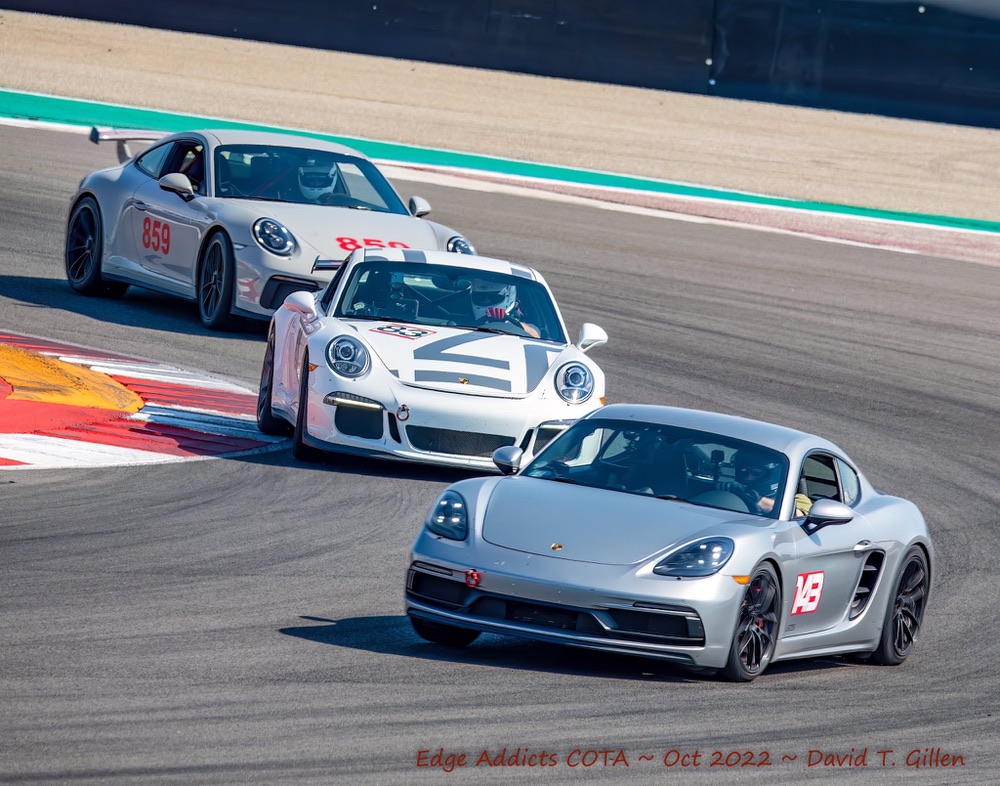
On track, the Drive screen shows your live lap clock, session best, Time to Beat, your lap list, and other drivers at the circuit, all updating in real time.
Features
One track day product with three jobs. Get faster with clear feedback, coach with map marks and live eyes, and keep your paddock close between sessions.
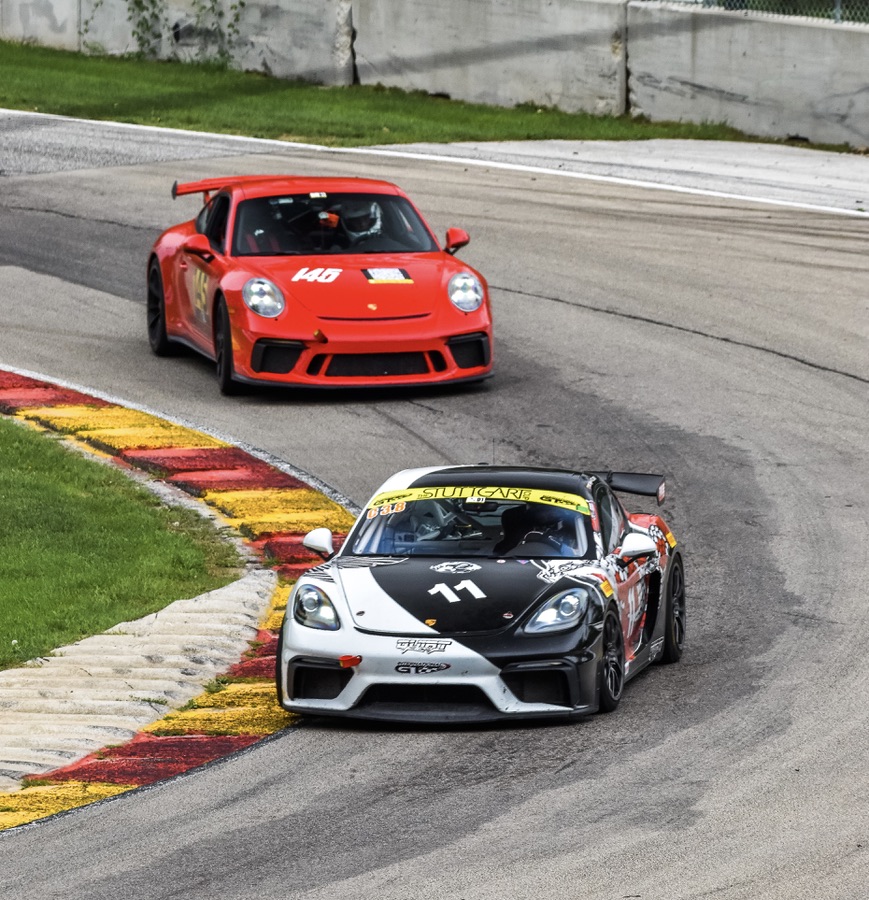
Faster
See where time lives, then fix it. On track rivalry, head-to-head compare, and a history you can learn from.
On track, the Drive screen shows your live lap clock, session best, Time to Beat, your lap list, and other drivers at the circuit, all updating in real time.
Overlay racing lines and scrub throttle, speed, and G-force against a reference lap. Draw notes, mark what to change, and save the debrief for your next run.
Sync the full track catalog to your phone. Curated finish lines time laps immediately. Other catalog tracks learn the line when you return to start. Phone GPS laps upload automatically for history and live crew views. Public boards show approved rank-eligible laps. Pair a RaceBox over BLE for 25 Hz GPS, or a Dragy over BLE, when you want sharper data. 15% off with LAPSHUB15.
Manage your cars and transponders. See online and offline status, switch between Phone GPS, RaceBox BLE, or Dragy BLE, and assign the active car for lap attribution. Pair a GoPro Hero 12+ to record the session when you open Drive.
Track days, seat time, lap counts, visited circuits, favorite laps, and saved replays live in one timeline. Sessions logged by a coach are labeled in your history.
Clearer
Clearer inputs and a coach who can mark the map. Built for HPDE and instructor days where the next lap should be cleaner, not just quicker.
For non-timed HPDE and club days: hide lap times on the Drive screen while GPS still records. Review the session after you stop. Follow your organizer’s rules.
Link coaches and students either way: search coaches on the platform to improve your driving, or accept a coach invite. Coaches see your session in real time from anywhere in the world. They do not have to sit with you, though right-seat logging is still an option. Publish map debrief notes students review later.
Pin braking points, apexes, and corner notes on the replay map. The student keeps the lap data; the coach leaves the teaching marks.
Your crew and coach can follow lap times, GPS, and session progress while you drive, so feedback does not wait until the trailer.
Connected
Paddock social for the people who matter. Live timing, a HUD on the racetrack video, a push when friends cross the line, crews, bios, and a feed between track days.
A low-latency stream to the paddock shows a live map, driver speeds, lap times, and session data as they happen. Phone GPS, RaceBox BLE, and Dragy BLE sessions use the same live-event feed.
The same lime-neon HUD from the app sits on the live onboard picture: speed, lap clock, RPM, G, and throttle, painted on the racetrack video.
Follow a driver and get a lock-screen ping when they arrive and when they cross the line. Tap it to open that lap and its telemetry, even if you were not watching.
Track days are better with your people. Create crews, invite friends, and filter live laps to your group.
Get your crew on the calendar. Schedule track days, RSVP, and recap the event when the day is done.
Watch live video feeds during events and follow the action from the paddock or anywhere your crew is watching, with the live HUD on the picture.
Activity wall for lap times, posts, and updates. Stay connected with your crew between track days.
Public profile with stats, fastest laps, cars, and a QR code to share. Your racing resume stays up to date.
Submit a lap time and prove it on video. Log your time with evidence the community can trust.
Improve
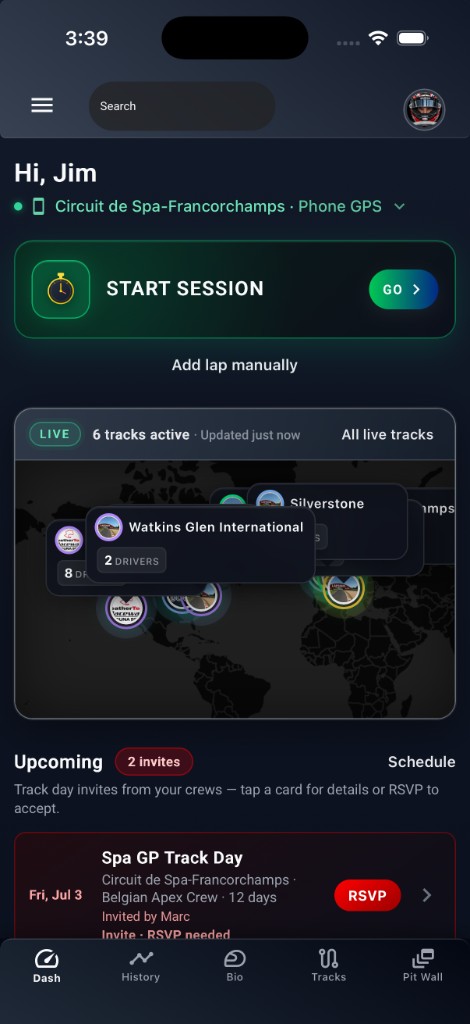
Open the app, select Phone GPS, and drive. The track catalog syncs to your phone so you can time laps at hundreds of circuits. Curated finish lines work immediately, and other catalog tracks learn the line when you return to start.
When you want higher-rate GPS and more accurate lap timing, pair LapsHub with a RaceBox Mini, Mini S, or Micro for 25 Hz, or a Dragy Pro over BLE, and select it as your timing source. Laps stream to the paddock as you cross the line and upload automatically. Phone GPS stays in history and live crew views. RaceBox and Dragy laps can appear on public boards when they are approved and rank-eligible. 15% off with LAPSHUB15.
Pair LapsHub with a GoPro Hero 12+ to record the session when you open Drive. Files stay on the camera card. Go Live still uses this phone. Lap times still come from phone GPS, RaceBox, or Dragy.
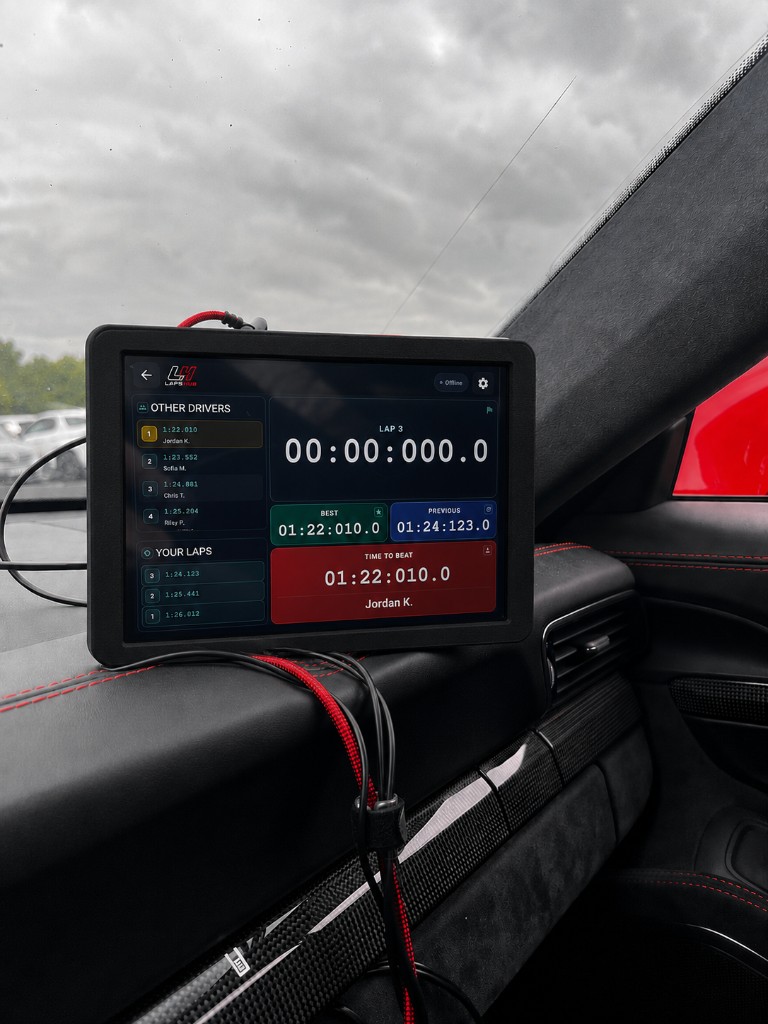
The Drive screen is your rivalry board in the car. Who is out there, who just went quick, and what you need to beat. No radio check. No pit board scribbles.
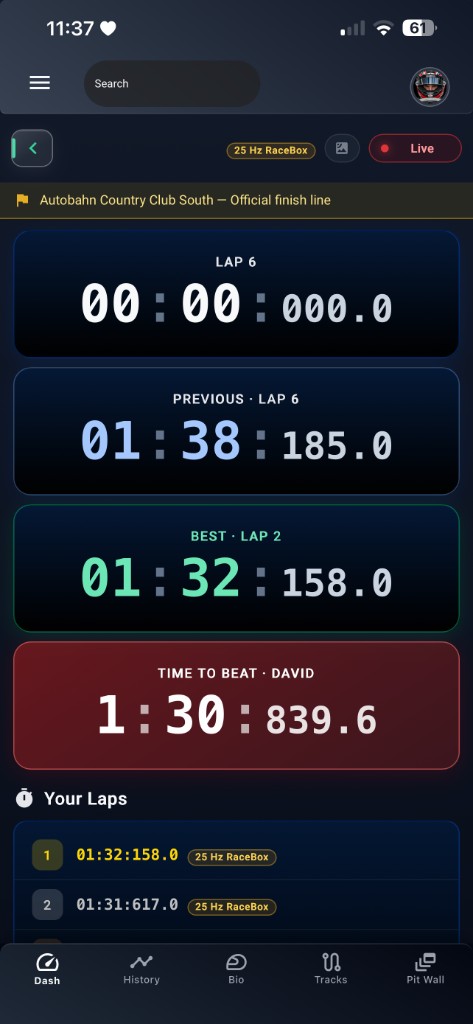
Live lap clock, session best, and Time to Beat in your pocket. The leader changes when someone crosses the line. You feel it while you are still out there.
Chase the leader from the seat, not just from the paddock.
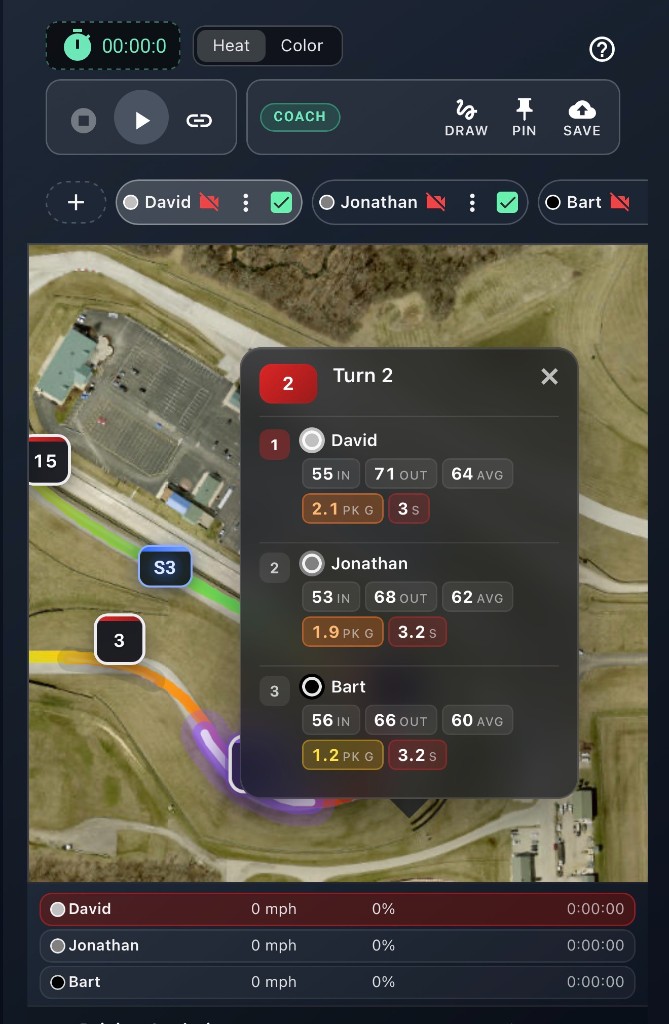
Overlay your line against a reference lap or another driver on the same map. Scrub throttle, speed, and G-force together so you see where you give up time or ask too much of the car.
Draw notes, mark braking points, and save the debrief. Published replays get a shareable URL so you can send it to your coach or crew without exporting video files.
Stay safer

Enable HPDE mode in the Garage view when the organizer does not allow live timing. The Drive screen shows HPDE Mode on and keeps recording, with lap times, best laps, and the live scoreboard hidden.
Review the session after you park. Compare line and notes without chasing splits mid-lap. Follow your organizer’s rules. HPDE lap timing guide →
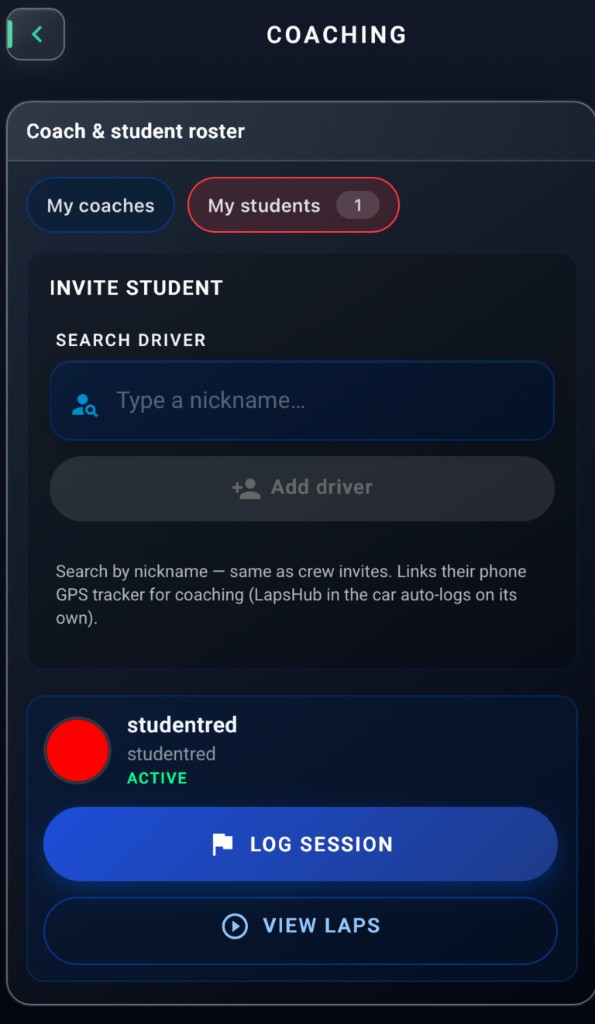
Drivers can search coaches on the platform and request a link, or coaches can invite students. Either way, both sides accept into a shared roster. A coach can watch the session in real time from anywhere in the world. They do not have to sit in the car. Right-seat logging is still available when the coach rides along and starts the session from their phone so GPS saves to the student account.
After the run, the coach opens student laps in replay, draws debrief notes on the map, and publishes annotations. Students see sessions in their history, labeled when logged by a coach, and can review debriefs on their own schedule.
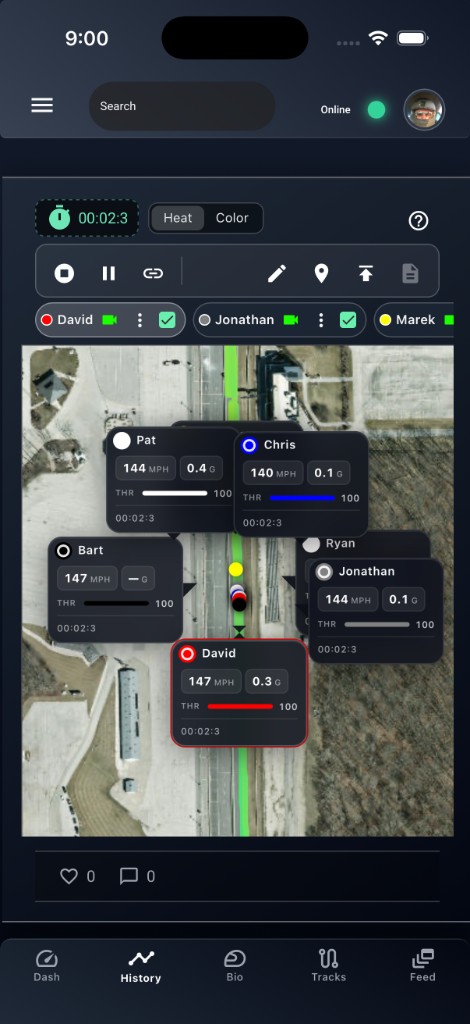
Pin and draw on the replay map: braking points, turn-in, apex, and throttle notes. The teaching stays attached to the lap the student already owns.
Students open history when they are ready. No panic in the car, no lost whiteboard photos after the event.
Share with your crew

See which tracks are hot right now with an interactive map showing active drivers, live speeds, and lap times. Whether you are in the paddock or watching from home, LapsHub streams telemetry to the live feed as sessions run.
Phone sessions stream through the live-event pipeline. Filter by crew, browse all lap times at a circuit, and open replays when a session ends.
The onboard feed is not just a camera. Speed, lap clock, RPM, G, and throttle overlay the picture, the same HUD drivers use in the app. Anyone watching the session sees the data in the frame, not on a second screen.
Connecting…
You do not have to sit on the live map. Follow a driver, and when they take a lap a push lands on your lock screen. Tap it and the lap, the map, and the telemetry open in the app.
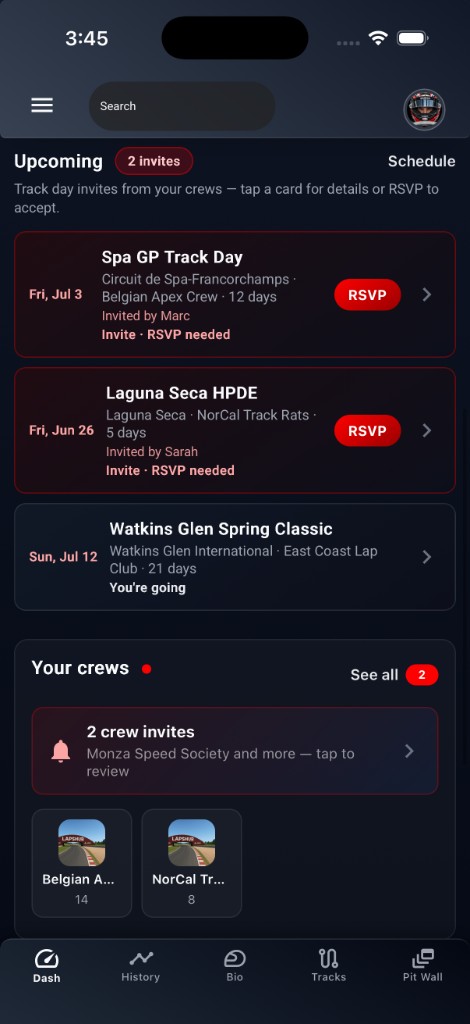
Create a private or public crew, invite drivers, schedule events, and filter live timing to your group. Track days are better when your whole paddock is on the same app.
The Dash shows upcoming track day invites from your crews. RSVP to accept, see who invited you, and keep every event on one calendar.
Also see: Racetracks · LapsHub App · Driver Bio
Download free on iPhone or Android. Improve with every lap, keep a clearer picture of risk, and bring your crew live.